 54def961ae
|
||
|---|---|---|
| .. | ||
| components | ||
| pages | ||
| public | ||
| .env.example | ||
| .eslintrc.json | ||
| .gitignore | ||
| README.md | ||
| basic-embed.gif | ||
| next.config.js | ||
| package.json | ||
| yarn.lock | ||

README.md
Daily Prebuilt: Next.js demo
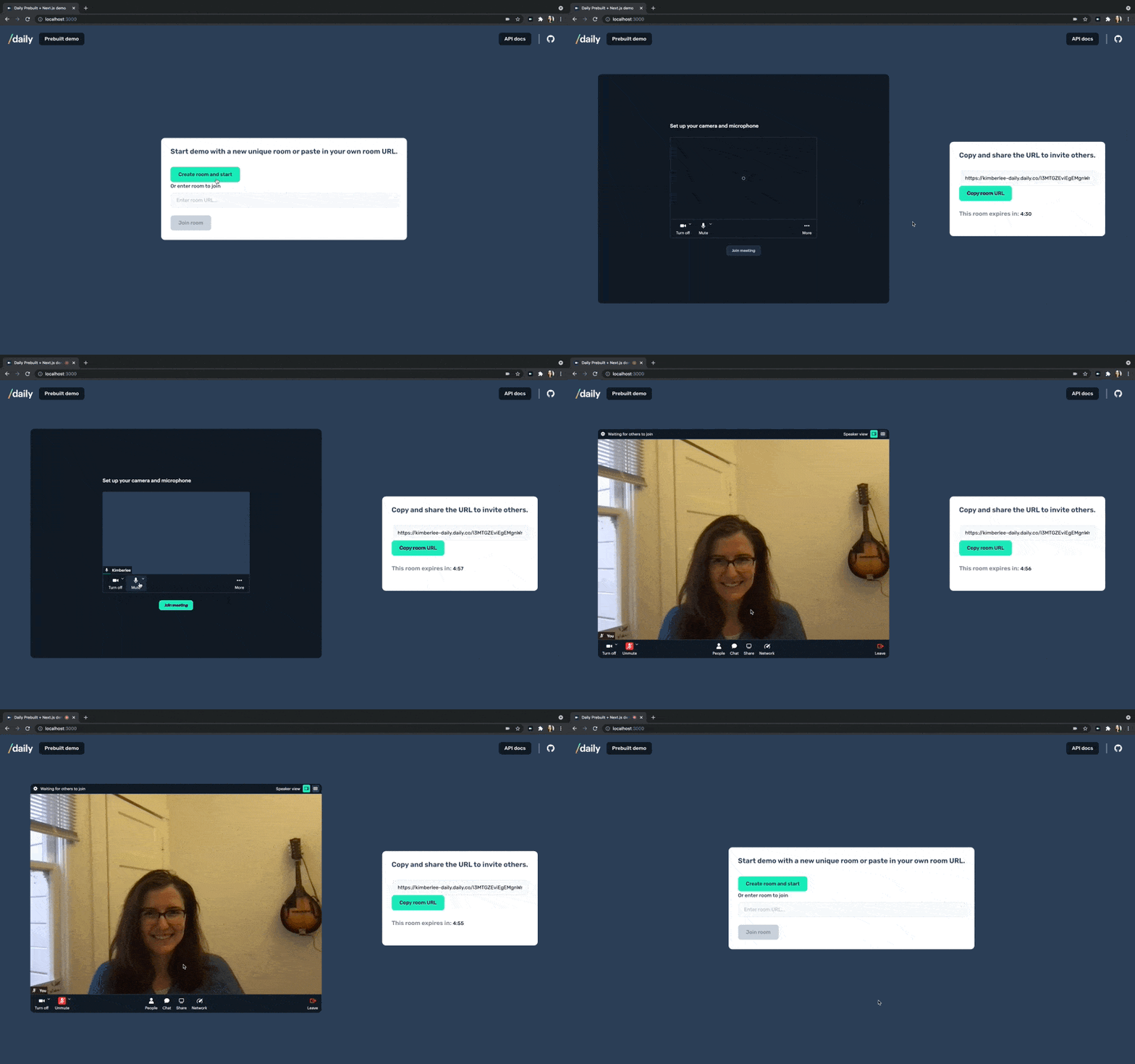
How the demo works
This demo embeds Daily Prebuilt, a ready-to-use video chat interface, into a Next.js site. It makes use of Next API routes to create Daily rooms server-side.
Requirements
You'll need to create a Daily account before using this demo. You'll need your Daily API key, which you can find in your Daily dashboard on the Developers page, if you want to create rooms through the demo UI.
You can also paste an existing Daily room into the input. The room URL should be in this format to be valid: https://domain-name.daily.co/room-name, with daily-domain changed to your domain, and room-name changed to the name of the existing room you would like to use.
Running locally
- Copy .env.example and change it to an .env.local with your own DAILY_API_KEY and DAILY_DOMAIN
cd basic-embed- yarn
- yarn workspace @prebuilt/basic-embed dev
Or...