 9eac0eb2ad
|
||
|---|---|---|
| .. | ||
| components | ||
| pages | ||
| public/assets | ||
| .babelrc | ||
| README.md | ||
| env.example | ||
| image.gif | ||
| index.js | ||
| next.config.js | ||
| package.json | ||

README.md
Live Transcription
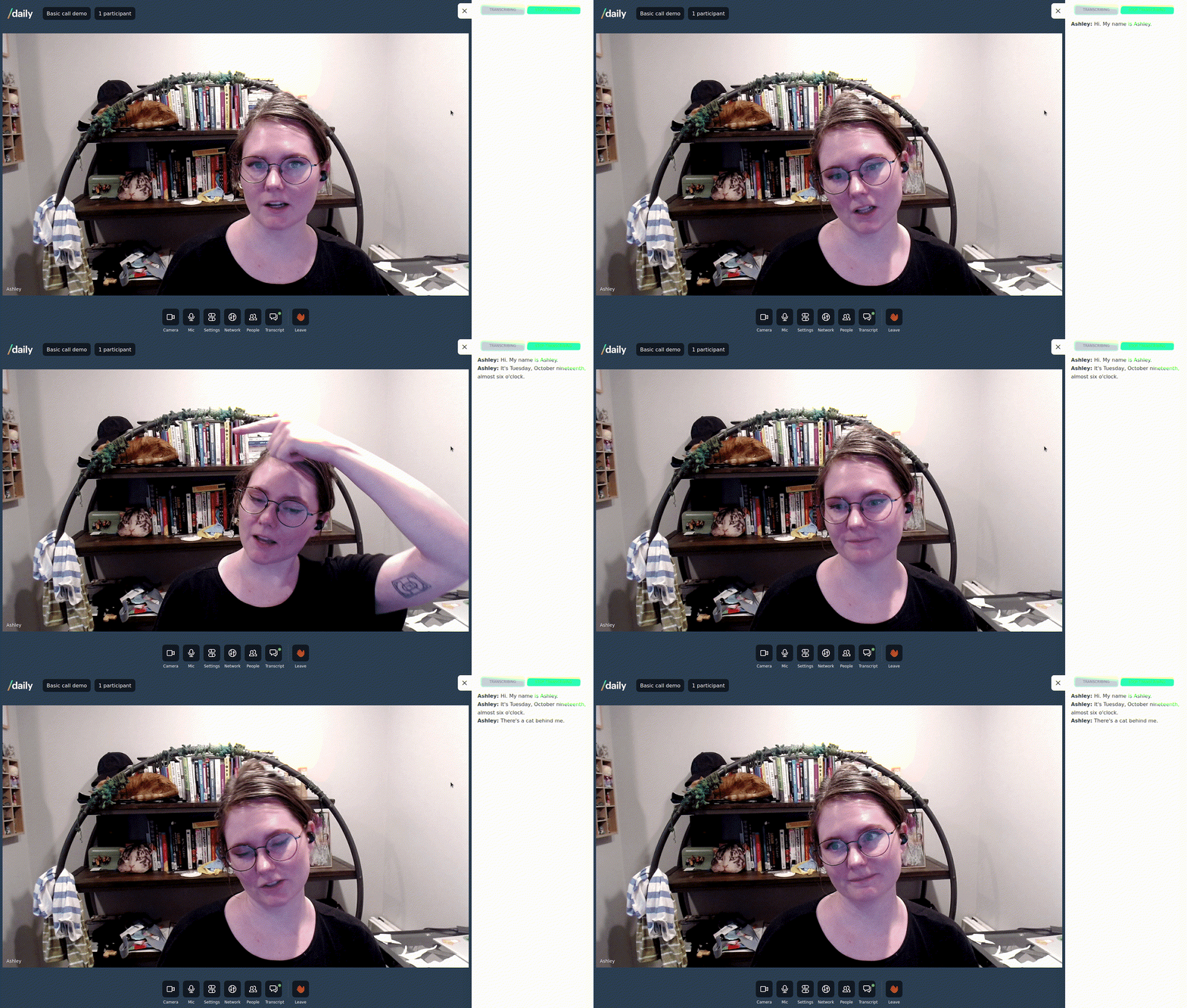
Live example
What does this demo do?
- Use
startTranscription()andstopTranscription()methods to create a transcript of a call - Integrates Deepgram transcription service into Daily calls
- Listen for incoming transcription messages using the call object
app-messageevent - Extend the basic call demo with a transcription provider and aside
- Show a notification bubble on transcript tray button when a new message is received
Please note: this demo is not currently mobile optimised
Getting started
# set both DAILY_API_KEY and DAILY_DOMAIN
mv env.example .env.local

yarn
yarn workspace @custom/live-transcription dev
Setting up transcription
For testing the transcription service, you will have to register for a Deepgram API key and configure your Daily domain with that key. Get instructions under enable_transcription in our domain configuration documentation.
How does this example work?
In this example we extend the basic call demo with the ability to generate transcription of the meeting in real time and log that in a side panel.
We pass a custom tray object, a custom app object (wrapping the original in a new TranscriptionProvider) as well as add our TranscriptionAside panel. We also symlink both the public and pages/api folders from the basic call.
Single live transcription is only available to call owners, you must create a token when joining the call.